
Convert WebM to MP3 Without Uploading to a Server
Why voice notes, confidential meeting memos, and screen recordings should never be uploaded to remote transcode servers.
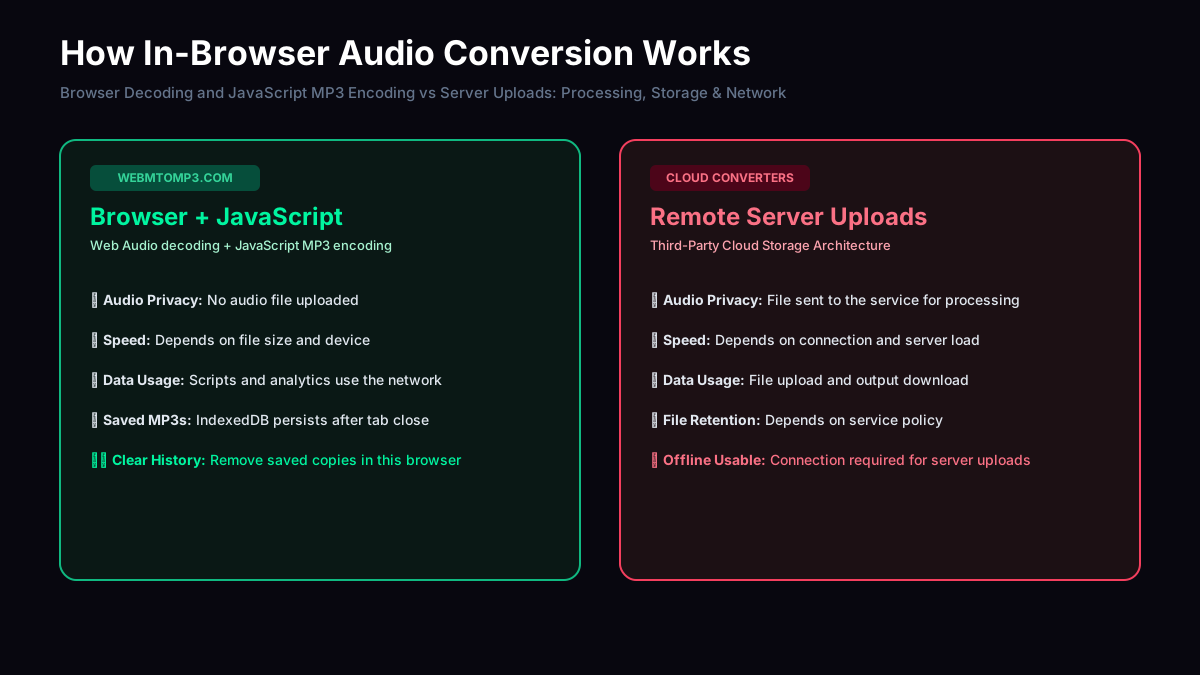
- ✕Full File Upload: Audio bytes travel over public internet to remote cloud storage.
- ✕Server Logging: File contents, IP addresses, and metadata may be retained on disk.
- ✕Ad Trackers: Cluttered with third-party tracking scripts, popups, and user profiling.
- ✓No Audio Upload: The browser decodes your audio and a JavaScript encoder creates the MP3 locally. Encoder scripts and analytics still use the network.
- ✓Saved Browser History: Converted MP3s and original file names stay in IndexedDB after closing or refreshing the tab. Remove individual entries or clear conversion history to delete the saved copies.
- ✓Visible Verification: Container inspection before conversion, frame sync audit after.
Local vs Server-Upload Converters: Architecture Comparison
A factual breakdown of how different converter categories handle audio data and processing pipelines.
| Architecture Feature | Server-Upload Servicese.g. FreeConvert, Convertio | Other Client-Side ToolsBasic Web Audio JS scripts | webmtomp3.comWeb Audio API + JavaScript LAME |
|---|---|---|---|
| Where media is processed | Remote cloud servers / transcode queues | Browser JavaScript engine | Browser Web Audio decoder + main-thread JavaScript encoder |
| File upload required | Yes (entire file payload sent over network) | No (local memory buffer) | No audio upload (scripts and analytics may load) |
| Batch & size handling | Server tier limits (e.g. 100MB-1GB free cap) | Limited by browser tab memory | One file per conversion, bounded by input limits and available browser memory |
| Verification shown to user | Rarely (typically just a download link) | Usually basic file size only | MPEG frame/header checks and frame timeline, not decoded audio quality |
| Privacy verifiable in DevTools | Network tab shows POST/upload requests | Varies (some load external analytics or CDNs) | Check for no file upload; page assets, encoder scripts and analytics requests may appear |
Feature observations from public pages, August 2026 — verify independently before relying on them.
Browser Decoding and JavaScript MP3 Encoding
When you select a .webm file, the browser's Web Audio API decodes its audio into PCM samples. The LAME JavaScript encoder then creates MP3 frames on the main thread, yielding between chunks. It loads on demand when you start a conversion; no audio upload is needed.
The converter does not send your selected audio file to a server. This does not mean the page makes no network requests: it loads page assets, the encoder script and analytics. Saved MP3 history is separate from temporary conversion memory and remains in this browser until you remove or clear it.