
Fix WebM Unknown Duration (MediaRecorder Recordings)
Why some WebM recordings show “Unknown duration” or “Infinity”, what can affect seeking, and when to choose MP3 conversion or a separate WebM remux.
1. Why Some MediaRecorder WebM Files Lack Duration
A browser can write WebM recordings incrementally using MediaRecorder. The navigator.mediaDevices.getUserMedia() API captures a media stream; MediaRecorder records that stream. File output and finalization vary by browser, recording settings, and how the application assembles the chunks.
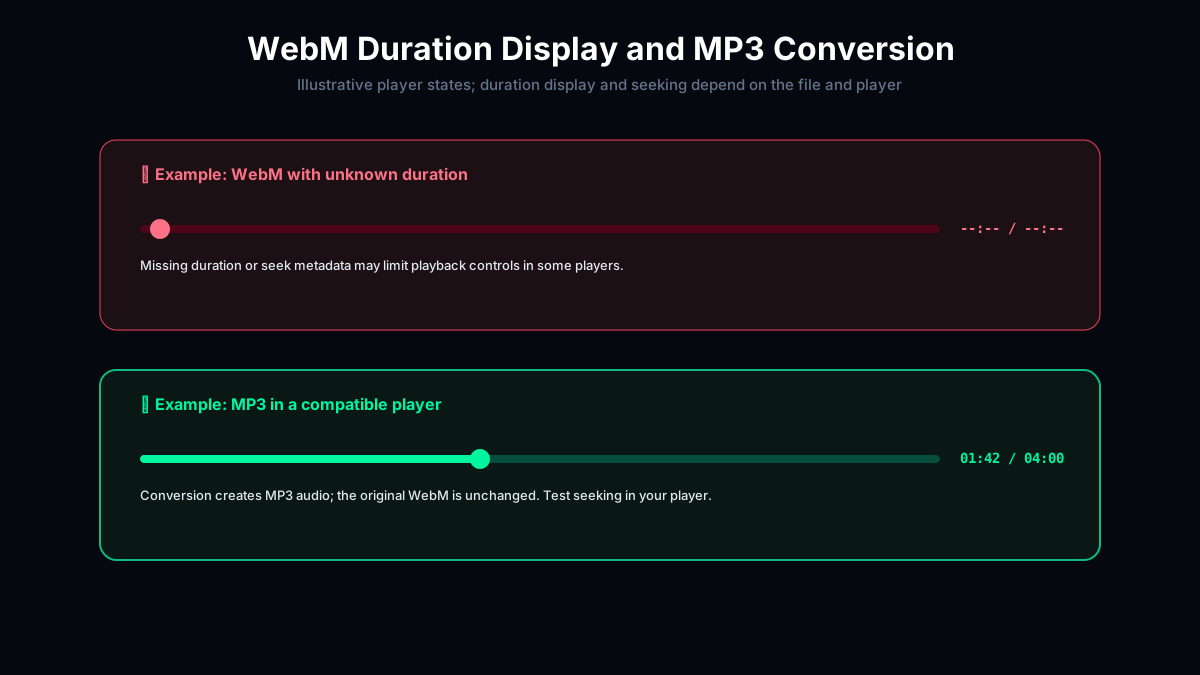
The final recording length is not known when recording starts. Some WebM outputs omit the EBML Segment → Info → Duration element. A player may then show Infinity or 00:00 until it can determine a duration; this is not a universal outcome.
After recorder.stop(), an application can collect the final recording data into a Blob. Do not assume every resulting WebM has a duration value or an EBML Cues seek index. Missing duration and missing seek indexes are related but distinct issues; player handling varies.
2. Which Recordings Can Show Unknown Duration?
Check the actual file rather than assuming a particular recording tool is affected. Depending on its output and finalization, a WebM file from these workflows may lack duration or seek metadata:
- Microphone Recordings: Audio saved directly from a browser recording session.
- Screen Recordings: Audio/video captured in a browser and saved as WebM.
- Chunked Captures: Recording chunks assembled into a file without additional container finalization.
- Web Voice Memos: Dictation, language practice, or interview audio exported as WebM.
- Interrupted Recordings: Incomplete files may also be damaged; missing media cannot be restored by adding metadata.
3. Why Players Show “Infinity” or 00:00
Players can use container metadata, timestamps, indexes, or scanning to estimate duration and enable seeking. Support varies by browser, codec, container, and player. Missing duration metadata or a seek index may produce symptoms such as:
00:00 / 00:00 when duration is unavailable or the format is unsupported. Some players can scan the file; others cannot play it. The display alone does not identify the cause.4. How This Converter Creates MP3 Audio
This converter creates a new MP3 audio file locally. It does not repair or rewrite the original WebM container, retain its video, or reconstruct missing audio. Conversion requires a supported file that the browser can decode:
- Browser Audio Decoding: The app passes the file to the Web Audio API via decodeAudioData. The browser handles decoding; an app-level demuxer does not iterate the audio packets. Opus/Vorbis support depends on the browser and the actual file.
- Decoded Audio Duration: The app reads AudioBuffer.duration after decoding to PCM. This measures the decoded samples per channel, not a repaired original container timeline:Decoded duration (seconds) = PCM samples per channel / Sample rate (Hz)
- MP3 Encoding and Checks: LAME encodes the decoded PCM into MP3. The app checks complete Layer III frame boundaries before offering the output. Encoder delay and padding can affect the encoded duration. Duration display and seeking depend on the player; these checks do not prove playback or seeking on every device.
5. Separate Manual Options with FFmpeg
If you have ffmpeg installed, these examples illustrate a separate local command-line workflow. This website does not run FFmpeg. Keep the original file and inspect the resulting output; these commands are not a guarantee of repair:
Option A: Remux to a new WebM without re-encoding
ffmpeg -i input_recording.webm -c copy fixed_recording.webmFor a readable input with usable timestamps, remuxing can write a new WebM container with updated duration and seek metadata while copying selected streams without re-encoding. It cannot recover missing audio or guarantee repair of damaged timestamps. Check duration and seeking in your target player.
Option B: Extract audio and convert to MP3
ffmpeg -i input_recording.webm -vn -c:a libmp3lame -b:a 192k output.mp3Omits video (-vn) and encodes the selected audio stream to a new 192 kbps MP3. This is audio conversion, not WebM repair. Check the output in your intended player.