
WebM to MP3 Bitrate Guide: 128 vs 192 vs 320 kbps
The physics of lossy-to-lossy audio transcoding, psychoacoustic allocation, and choosing the optimal bitrate for speech, podcasts, and music.
Interactive MP3 Bitrate & File Size Estimator
Estimate output file size and compression ratio for different MP3 CBR/VBR bitrates.
Best for WhatsApp voice notes, Discord calls & interviews.
Optimal sweet spot preserving 100% of 160kbps Opus dynamics.
Zero audible compression artifacts; larger storage footprint.
Is 320 kbps worth it for WebM audio?
Short Answer: No, for almost all browser-recorded WebM files.
When you convert a lossy WebM source (typically 64–128 kbps Opus from Chrome, Discord, or Google Meet) into an MP3, a higher MP3 bitrate cannot restore audio detail or high frequencies already discarded by the original recording encoder.
Encoding a 96 kbps voice recording into a 320 kbps MP3 allocates 3.3x more data storage per second to encode the exact same lossy spectrum, unnecessarily increasing download times and file storage without any audible gain.
- Voice memos & Discord voice notes
- Google Meet & Zoom meeting recordings
- Screencasts and speech podcasts
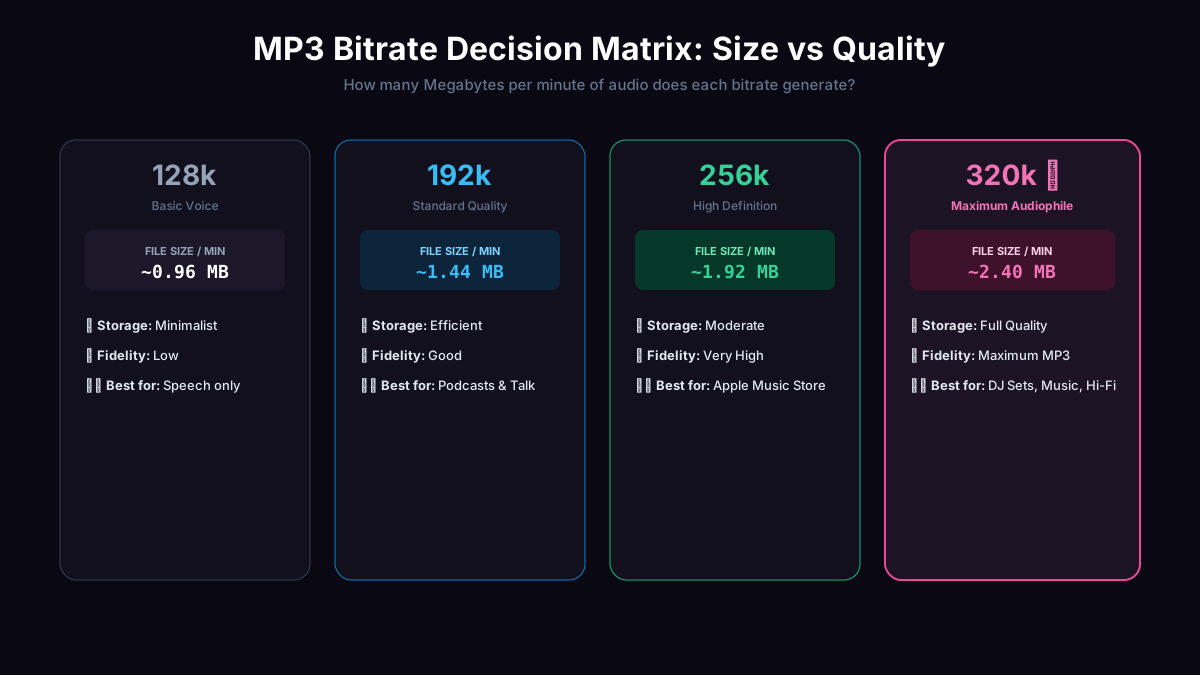
- Minimal disk usage (~0.96 – 1.44 MB/min)
- Source WebM was encoded at 256–510 kbps Opus
- Master recordings with rich acoustic instruments
- Archival distribution requiring maximum Layer III headroom
- File size is not a constraint (~2.40 MB/min)
Bitrate Comparison Matrix
| Bitrate | Typical Use Case | File Size / Min | Psychoacoustic Profile | Recommendation |
|---|---|---|---|---|
| 128 kbps | Voice memos, podcasts, speech lectures | ~0.96 MB / min | Full speech intelligibility; cut-off ~16 kHz | Best for Voice |
| 192 kbps | Mixed voice + music, acoustic instruments | ~1.44 MB / min | Transparent fidelity; preserves stereo field and harmonics up to 19 kHz | Recommended Default |
| 320 kbps | High dynamic range music, archival exports | ~2.40 MB / min | Maximum MPEG Layer III bit allocation (20 kHz full spectrum) | Max Bitrate (Large File) |
Mono vs. Stereo: Halving File Size for Voice
Human speech captured through a single microphone (e.g. smartphone voice memo, headset microphone) is monophonic. In WebM, browsers frequently duplicate this into a 2-channel stereo stream.
Selecting Mono (1ch) in the converter sums the channels cleanly and doubles the bits allocated per audio channel, drastically enhancing audio clarity while keeping file sizes compact.