
WebM Container vs Opus & Vorbis Codecs
Understanding the distinction between the WebM EBML container format and the underlying audio compression standards (Opus and Vorbis).
1. What is WebM? Container vs. Stream
WebM is a media file format based on EBML (Extensible Binary Meta Language), a binary derivative of XML and a profile of the Matroska (.mkv) container. WebM is strictly restricted to open-source royalty-free codecs:
- Audio Codecs: Opus (
A_OPUS) and Vorbis (A_VORBIS). - Video Codecs: VP8 (
V_VP8), VP9 (V_VP9), and AV1 (V_AV1).
When you hold a .webm file, it does not dictate audio encoding on its own; it packages timeline metadata, sync cues, and packets of compressed audio data.
2. The Opus Audio Codec (IETF RFC 6716)
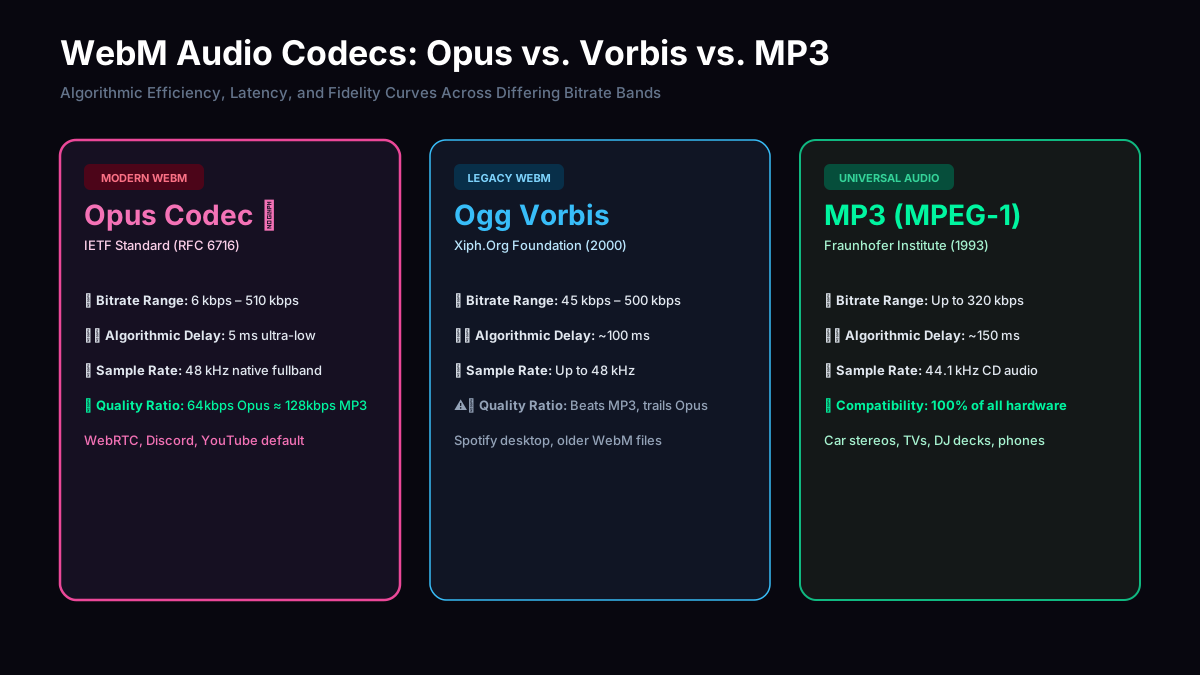
Opus is the default audio format for HTML5 MediaRecorder across Chrome, Edge, Firefox, and Safari. It combines technology from Skype’s SILK (voice prediction) and Xiph.Org’s CELT (MDCT music transform).
3. Transcoding Opus/Vorbis into MP3 (LAME)
Because legacy hardware (car head units, legacy MP3 players, older editing software) does not natively playback Opus within WebM containers, transcoding to MPEG-1 Layer III is often mandatory for universal compatibility.
Our pipeline decodes Opus packets into raw 32-bit floating-point PCM audio, resamples and mixes channel matrices, and re-encodes using the LAME psychoacoustic model into compliant MP3 frames.
4. What if my WebM has multiple audio tracks?
WebM files created by video editors, multi-language streaming platforms, or gaming recorders (OBS Studio) can encapsulate more than one audio track within the same container:
During parsing, our EBML inspector reads the TrackEntry headers. If multiple audio tracks are detected (e.g., Track 1 = Microphone, Track 2 = Desktop Audio, or Alternate Commentary), the default active track or the first discovered audio stream with the FlagDefault flag is prioritized for PCM decoding.
The metadata panel displays the primary audio stream’s sample rate, channel count, and codec identifier (A_OPUS or A_VORBIS).
If your recording contains separate microphone and gameplay channels and you want a mixed single track, check your recorder settings or use our channel layout option (Stereo / Mono downmixing) or remux with FFmpeg (ffmpeg -i in.webm -filter_complex amerge=inputs=2 out.mp3) before conversion.